Theme: Virtual Reality
Engine: Unreal Engine 4
Platform: PC (HTC Vive)
Time Worked: 10 June 2020 - 12 June 2020 (3 Days)
Aim
To build a C++ version of the UE4 VR Blueprint Template in order to learn how it works and set up a code template for future VR projects.
Description
The idea for this project came to being when I decided I wanted to explore VR development as my learning topic for this week. When I started UE4 to create a VR Template, I discovered that the default template was Blueprint only, and there was no C++ version. What’s more, when the project loaded, it seemed that I couldn’t even make any C++ files, which from my experience with things such as networking, can be extremely necessary at times for optimisation and readability. Therefore, I decided to undertake the task of converting this Blueprint Template to C++.
New Areas Covered
This project showed me a lot of new things about UE4 that I had either not experienced previously, or had very little experience with. Some of these included:
- Interfaces (in code and Blueprints)
- Haptic Feedback Effect Assets – to give a bit more of a dynamic effect to controller rumble
- Motion Controllers (input from Motion Controllers)
- Setting up a player camera (in previous projects either someone else has completed this task, or I’ve used one of UE4’s templates)
- Animation Blueprints
- Blendspaces
- Materials
- Skeletal Meshes
- Splines
- SteamVRChaperone Component (to get information about the VR play-space area)
- Physics objects (setup from scratch)
Challenges
As I was building this template, I met a few challenges on the way.
Naming Differences Between UE4’s Blueprints and C++ Functions
I’ve known previously about the naming differences between UE4 Blueprints and functions in C++, but I came across a few that made me stop and just go, ‘Why?’ In particular, these two functions located in the UKismetMathLibrary (DisplayName are what they are named in Blueprints, which is different to what they’re named in code):
/** Returns result of vector A rotated by Rotator B */
UFUNCTION(BlueprintPure, meta=(DisplayName = "RotateVector", ScriptMethod = "Rotate"), Category="Math|Vector")
static FVector GreaterGreater_VectorRotator(FVector A, FRotator B);
/** Returns result of vector A rotated by the inverse of Rotator B */
UFUNCTION(BlueprintPure, meta=(DisplayName = "UnrotateVector", ScriptMethod = "Unrotate"), Category="Math|Vector")
static FVector LessLess_VectorRotator(FVector A, FRotator B);
Modules
Finding the correct modules to load in the <ProjectName>.Build.cs file in order to resolve linker errors. I ended up needing to include “HeadMountedDisplay“, “SteamVR“, and “NavigationSystem“, but nowhere online could I find a list of possible modules to include. Finally, after lots of searching, I discovered a post on the UE4 answer hub that gave me the solution of using the “module list” command in the UE4 command prompt (brought up by pressing ‘`’ in game or in editor) that prints a list of loaded modules to the output log. Using this I was able to locate the three modules that I needed based on logically what they’d be called from what I was trying to access.
Rotator Class Differences
A little thing related to the first dot point about things being different between Blueprints and code: Pitch, Roll and Yaw are in a different order in FRotators in Blueprints than they are in C++, which resulted in odd rotations when teleporting at first.
In code it’s input as:
FRotator(float inPitch, float inYaw, float inRoll);
In a Blueprint graph, it’s shown as:

Right Controller Not Receiving Axis-Input from Vive Thumbpad
I also ran into a problem where my right controller was not receiving axis-input from the Vive’s thumbpad (used to set the rotation of the teleport). After a little research, I discovered that it was a common problem, and after a somewhat vague answer on how to fix the problem, it pointed me towards the fact that for some reason UE4 did not add the input to the “vive_controller.json” file that it automatically creates to link SteamVR to UE4. Not knowing much about .json files, I compared mine to the Steam VR Blueprint Template and discovered the right trackpad input missing, which I had to add, and this resolved the issue.
Physics Object Issue
I then ran into a problem with my physics object that can be picked up by the Vive controller, where their physics only activated after they had been picked up once, and then I couldn’t pick it up a second time. This turned out to be a simple solution, I had the following line of code in the class constructor, rather than the BeginPlay function (the constructor is already called in the UE4 editor, but BeginPlay gets called when pressing play):
StaticMeshComponent->SetSimulatePhysics(true);
Splines
And finally, my last main issue was to do with drawing the spline that made the arc that linked the controller to the teleport location. At first I struggled to get the Spline Meshes to draw to the screen, I finally found an answer on the UE4 AnswerHub that prompted me to add the following functions in order to get them to draw to the screen properly:
newSplineMeshComponent->SetMobility(EComponentMobility::Movable);
newSplineMeshComponent->RegisterComponent();
newSplineMeshComponent->AttachToComponent(RootComp, FAttachmentTransformRules::KeepWorldTransform);
Finally they were drawing to the screen, however, I suddenly had a massive framerate drop when activating the teleporter. I have never experienced motion-sickness before, but that framerate drop was something else, and I now finally understand why VR movement is set to teleportation by default, because motion-sickness is not fun. To fix this, I reduced the number of points that the spline held to every fourth point from the projectile path prediction, which seemed to mostly eliminate framerate drop. For the sake of this project, I believe that this solution has been good enough, but if I were to decide to use my template to build a proper VR game, this would definitely be the first thing I would come back to because the optimisation is poor and as soon as any complexity is put into a level, the framerate is likely to drop significantly again.
Reflection
I think what this project really showed me was that you can really do anything in UE4’s code if you just know where to look. Most functionality and math-related algorithms seem to exist in UE4 already, it’s just a matter of figuring out where to find them and how to implement them. I’ve been using UE4 essentially since it became free in 2015, and have had a lot of experience in many areas of the engine. However, in building this template over the last three days, I’ve discovered in-built functions that I’ve previously built myself, some of which, according to the documentation have been implemented recently, some a long time ago. I believe on my next full project with UE4, I will have a renewed understanding of how to optimise my code and achieve full effectiveness from Unreal Engine. I feel like undertaking this project has taken my understanding of UE4 to a whole new level.
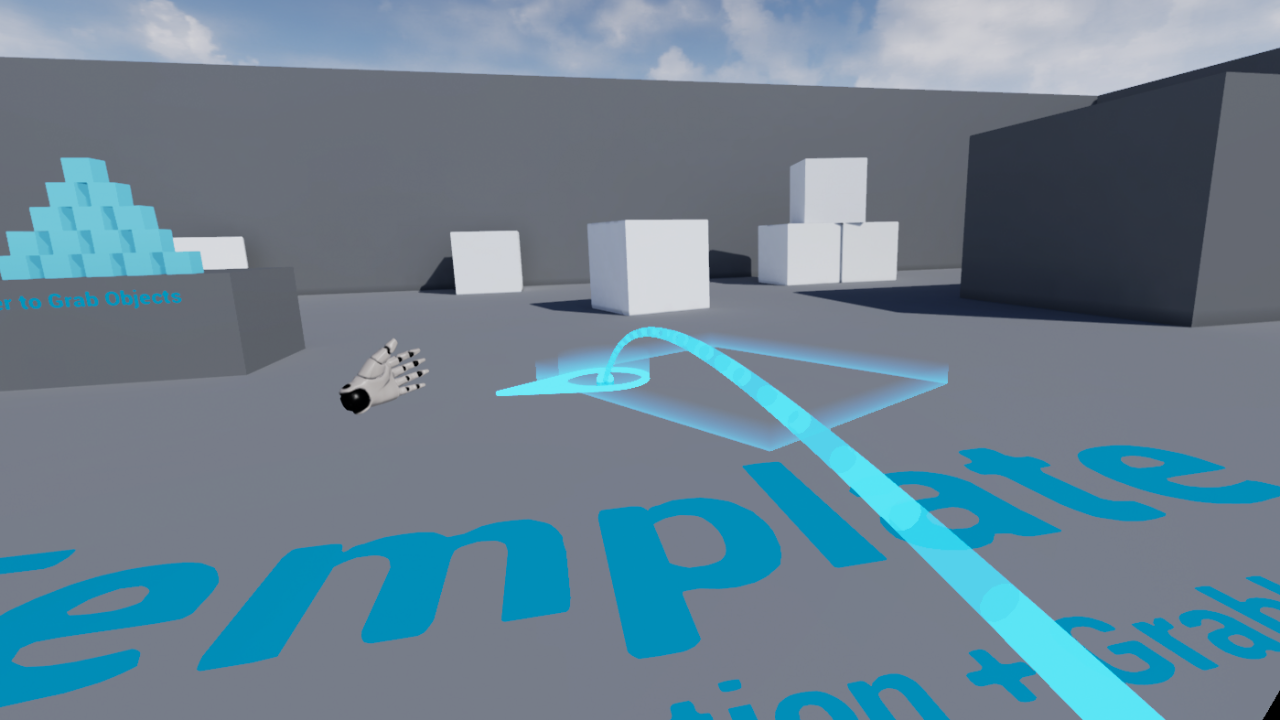
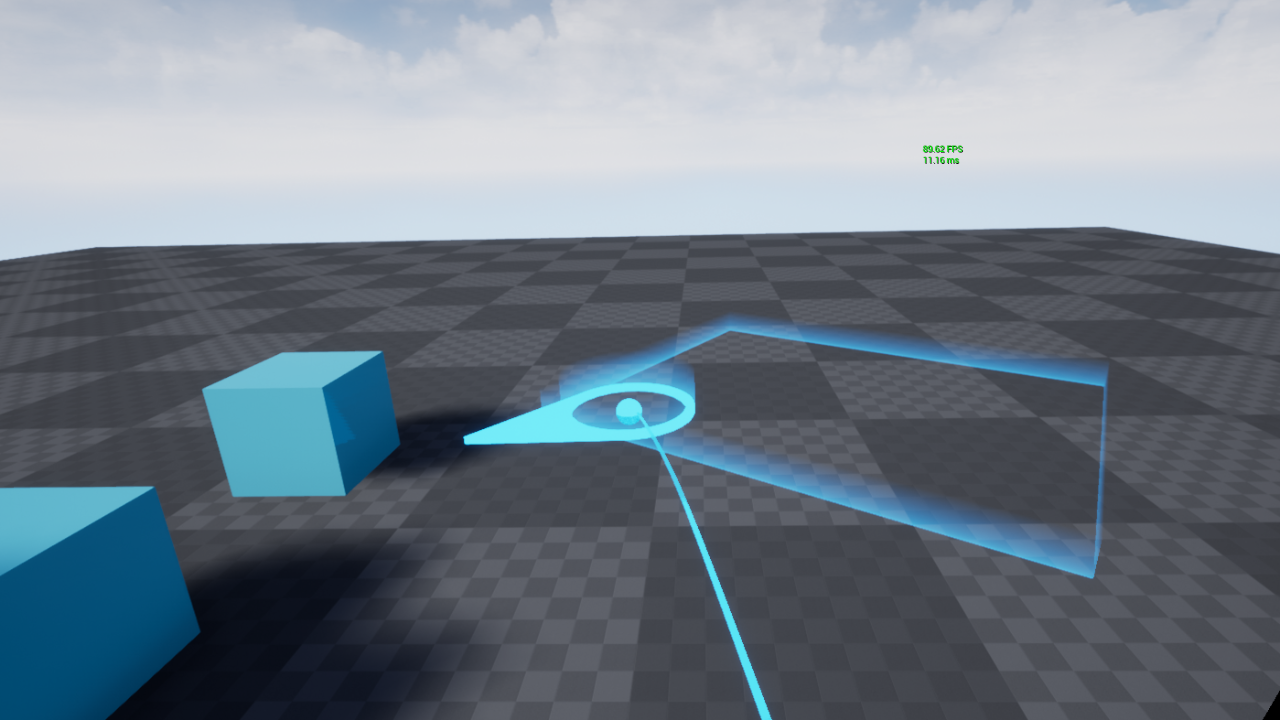
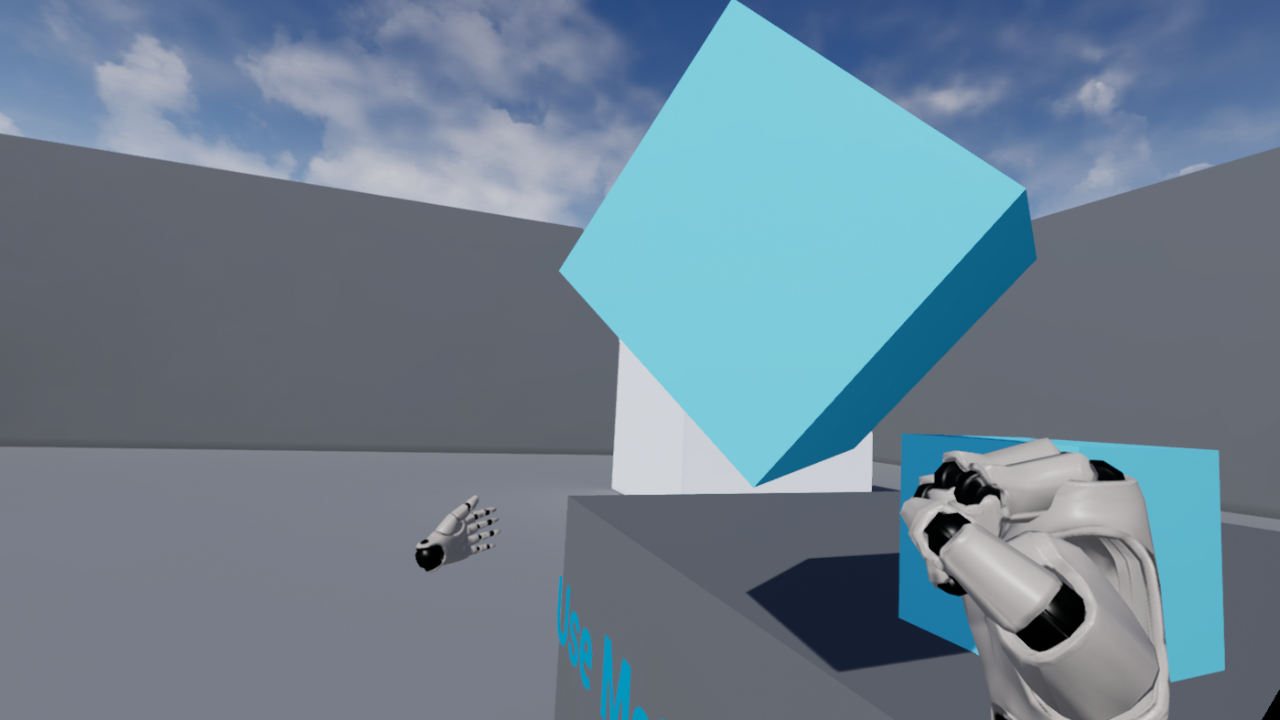
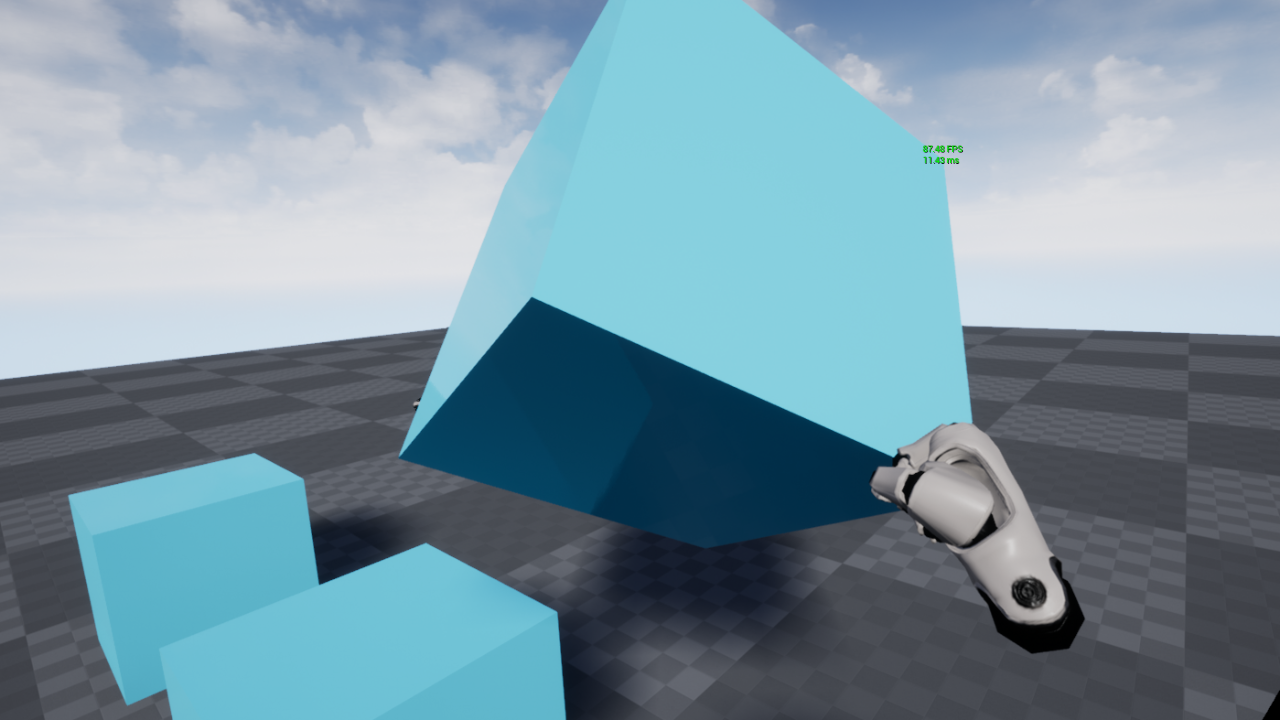
I achieved my goal of converting the full UE4 VR Blueprint Template to C++, and so I am proud of my work. Here is a side-by-side comparison of the VR Blueprint Template and my C++ version:

 Aythan Maconachie